Stack Builder
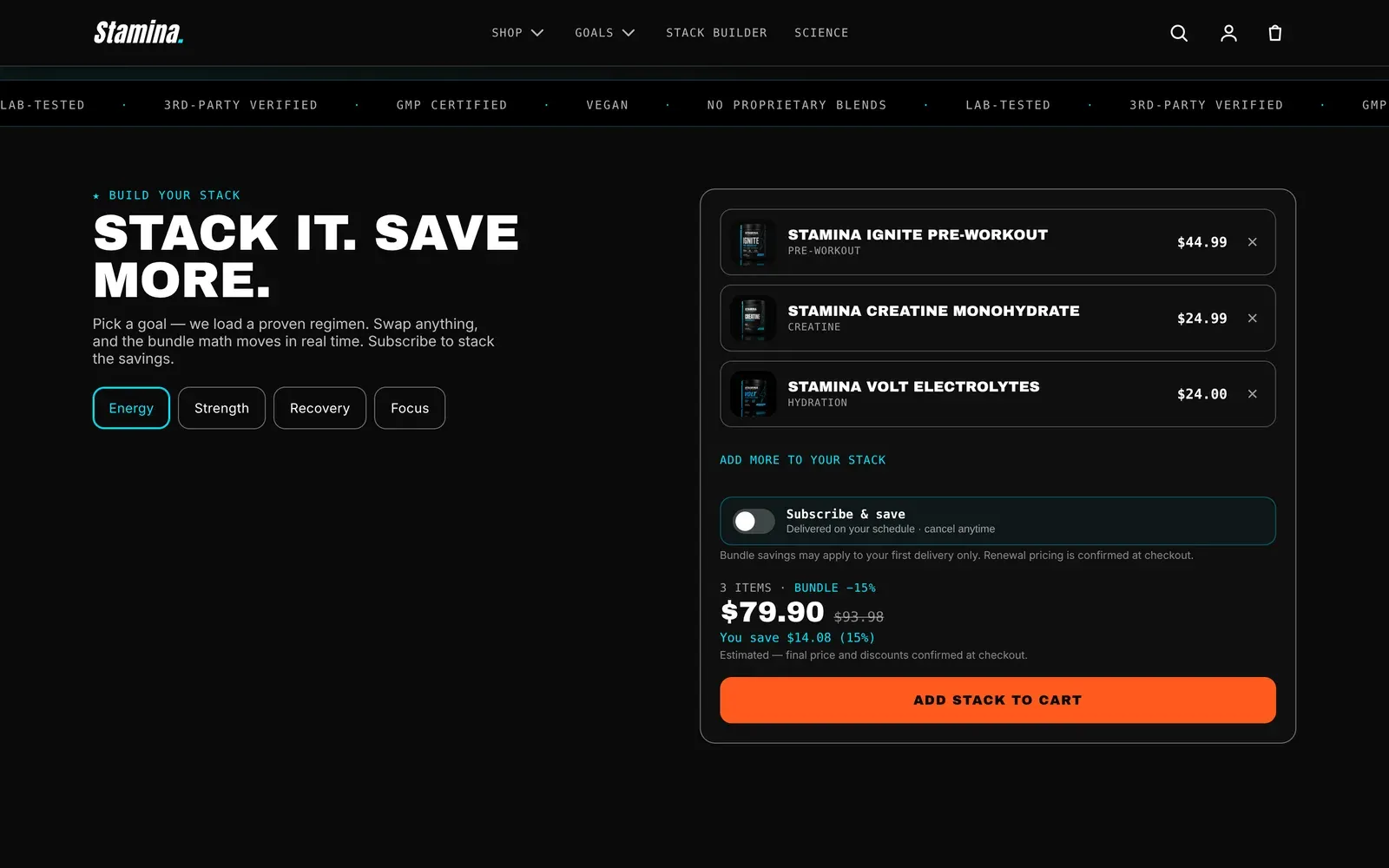
Stack Builder is Stamina’s flagship conversion pattern. It helps shoppers assemble a regimen, such as pre-workout plus creatine plus protein, without forcing them through a hidden wizard.
Give shoppers a fast path from outcome to cart:
- Choose a goal.
- Load a recommended preset.
- Add, remove, or swap products in the live tray.
- See bundle total and subscription savings.
- Add the stack to cart.
Setup Guide
Section titled “Setup Guide”- Create product collections for each goal.
- Add the Stack Builder section to the home page or a dedicated landing page.
- Add one Stack Goal block per goal.
- Assign recommended products to each goal.
- Configure labels for one-time purchase and Subscribe & Save.
- Test the tray on mobile with products in stock, low stock, and sold out.
Use simple, meaningful stack tiers:
| Tier | Example | Purpose |
|---|---|---|
| Starter | Pre-workout + creatine | Low-friction first stack |
| Performance | Pre-workout + creatine + protein | Higher average order value |
| Complete | Full regimen with recovery | Best for committed shoppers |
Sold-Out Behavior
Section titled “Sold-Out Behavior”If a preset product is sold out, the builder should keep the goal visible and guide the shopper to a swap or waitlist path. Do not silently remove the product because it makes the preset feel broken.
Subscription Math
Section titled “Subscription Math”Show savings from the actual stack total. Keep copy honest: if a subscription discount applies to the whole stack, calculate it from the whole stack.