Theme Editor Basics
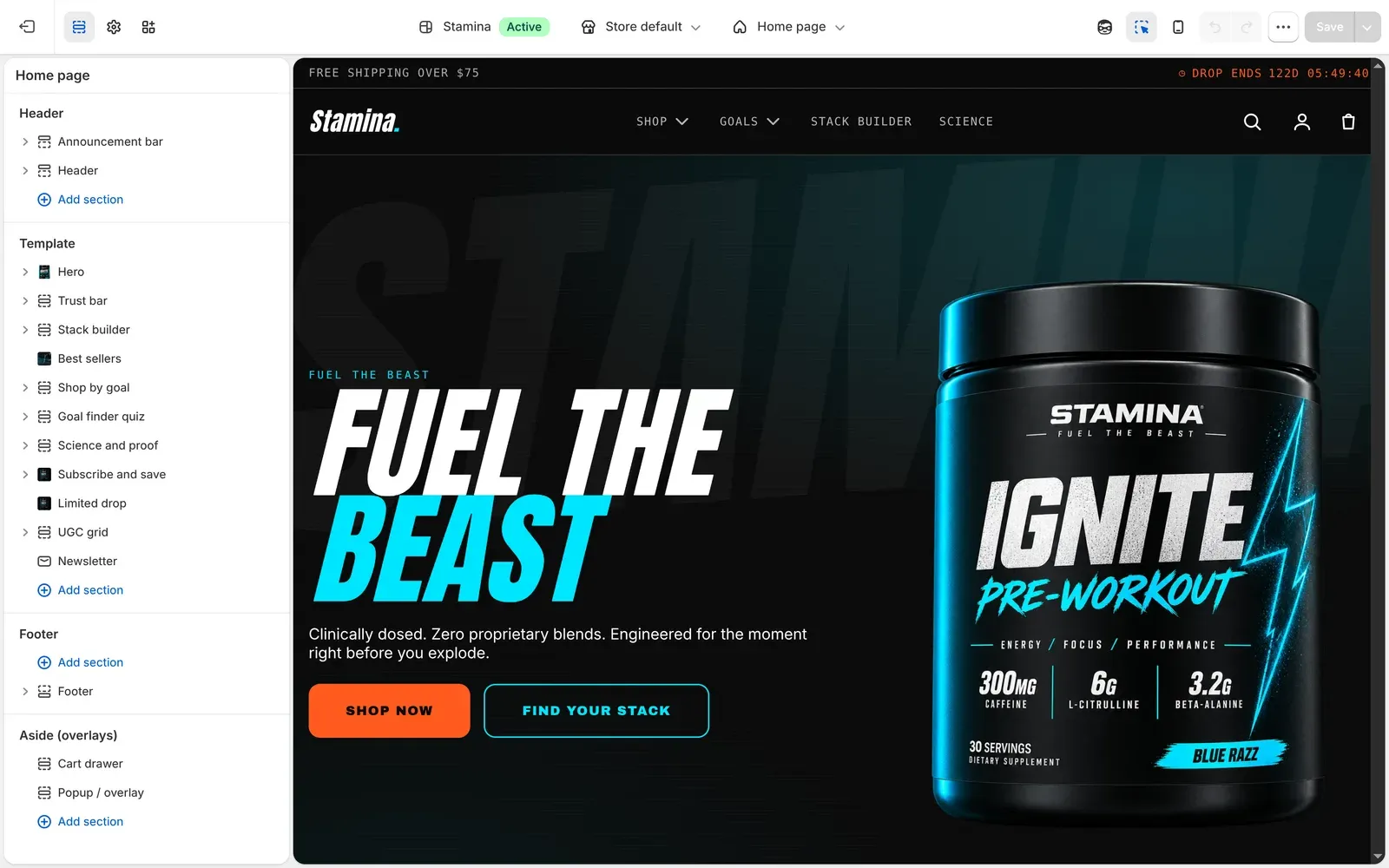
The Shopify Theme Editor controls the global theme settings, template sections, and reusable theme blocks used by Stamina.
Editor Areas
Section titled “Editor Areas”- Theme settings control brand-wide defaults such as colors, typography, cart behavior, badges, and product cards.
- Sections control page structure. Stamina includes conversion sections such as Stack Builder, Shop by Goal, Best Sellers, and Trust Bar.
- Blocks control smaller reusable elements inside sections, product forms, header/footer groups, and conversion layouts.
- Templates define page defaults for products, collections, blogs, pages, and system pages.
Editing Rules
Section titled “Editing Rules”Use Action Orange for the next action only: primary call-to-action buttons, urgency, and purchase-critical badges. Use Plasma Cyan for selection, active energy states, Stack Builder highlights, and filter states.
Avoid changing several layout and color controls at once. Preview on mobile after every major change because Stamina’s conversion patterns are mobile-first.
Publishing Checklist
Section titled “Publishing Checklist”- Header menus are linked and customer account behavior is correct.
- Cart drawer opens from header and product forms.
- Product pages include facts, subscribe options, and trust blocks.
- Free-shipping copy matches the actual shipping rate.
- Search and predictive search return expected products.